


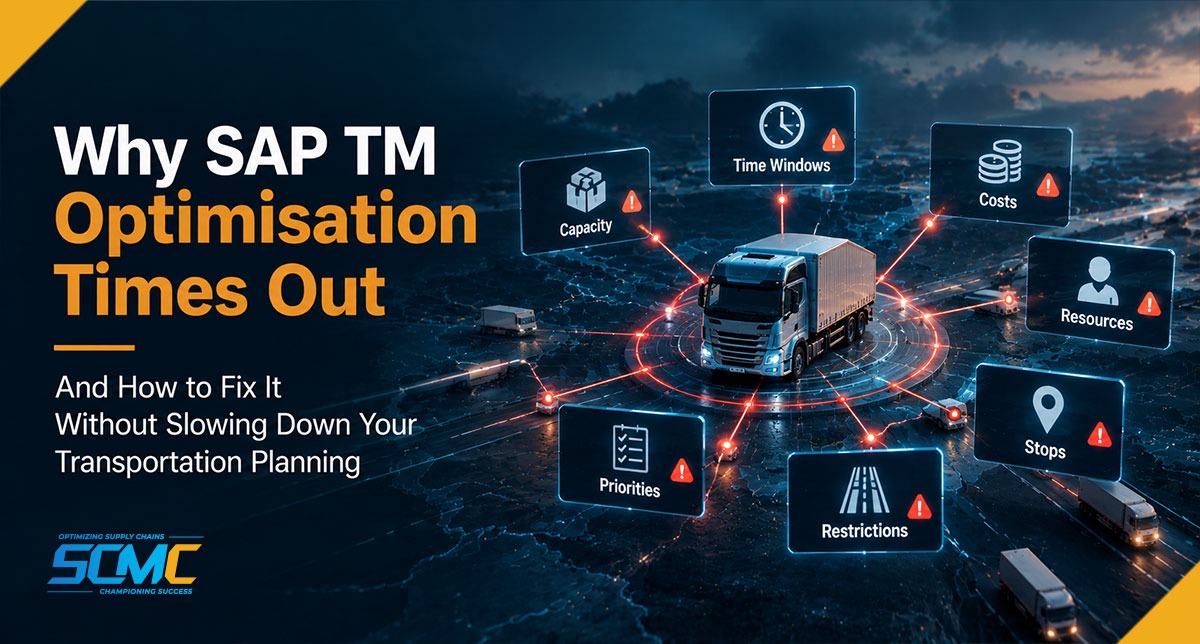
Your SAP Transportation Management system can have the right routes, the right vehicles, the right freight units, and the right planning rules and still fail to produce a transportation plan when you need it most.
The screen says timeout.
The planner tries again, and the run takes even longer. Someone suggests increasing the runtime, so the next attempt processes even more data, consumes more system resources, and still comes back incomplete.
This is where many SAP TM teams fall into the trap of assuming that an optimiser timeout is simply a technical problem. In practice, it is not always one thing causing the problem. It could be the planning model, the system configuration, or the infrastructure.
Simply put, SAP TM VSR optimisation can time out when the planning problem is too large or complex to solve within the configured runtime. Common causes include oversized freight-unit selections, excessive planning horizons, too many hard constraints, poorly weighted penalty costs, complex master data, and bottlenecks outside the optimiser. The first diagnostic step is to determine whether runtime is being spent in optimisation itself or elsewhere in the planning process.
An SAP TM Vehicle Scheduling and Routing (VSR) optimisation run is solving a complex transportation planning problem involving freight units, vehicle resources, locations, schedules, capacities, time windows, costs, and operational constraints. SAP TM distinguishes between hard constraints, which the optimiser must respect, and soft constraints, which can be influenced through penalty costs defined in the planning profile.
That means optimiser performance is shaped not only by infrastructure but also by what you ask the optimiser to solve and how you configure the problem.
For organisations running SAP TM at scale, the useful question isn’t only “How do we give the optimiser more time?” It’s also “how do we make the optimisation problem smaller, smarter, and easier to solve?”
What Does an SAP TM Optimisation Performance Problem Look Like?
Optimiser problems rarely announce themselves as a single clean error. They usually show up as a pattern of operational symptoms that build up over months.
Common signs include:
- VSR optimisation reaches the maximum configured runtime
- Planning runs get slower as freight volume grows
- Planners manually split selections into smaller batches to get a result
- Optimisation works for a single region but fails for national planning
- Runtime stays high even after the selection is reduced
- Planning results arrive too late to be operationally useful
- Planners begin abandoning optimisation and planning manually
- The same scenario behaves differently at different times of day
If three or more of these sound familiar, the issue is usually structural rather than infrastructural — meaning the planning problem itself needs to be redesigned, not just given more runtime.
Timeout or Slow Run? These Are Two Different Problems
Before anything else, separate these two situations. They feel identical to a planner, but the fixes are completely different.
| What it means | Where to look first | |
| VSR optimiser timeout | The optimisation run reaches its configured maximum runtime before producing an acceptable solution | Problem size, constraint design, cost model, runtime settings |
| Slow planning run | End-to-end elapsed time is too long, even if the optimiser itself finished. | Preprocessing, application processing, RFC communication, database activity, background jobs |
SAP TM provides a configurable runtime setting for VSR optimisation, so a timeout is not purely a function of data complexity. A long-running planning job isn’t evidence of a fault in the optimisation engine, either.
Getting this distinction correct at the start saves most of the subsequent troubleshooting effort.
Where Does an SAP TM Optimiser Timeout Actually Happen?
Before changing any configuration, it’s worth identifying where the delay occurs. A VSR planning run can broadly be understood through three stages.
Pre-processing: When SAP TM builds the planning problem
Before optimisation begins, SAP TM has to collect and prepare the relevant planning data — freight units, locations, resources, transportation lanes, schedules, capacities, calendars, constraints, and more, depending on the scenario.
The planning profile plays a major role here. It is the group of parameters used during transportation planning and VSR optimisation, and it can incorporate a selection profile for choosing which freight orders or freight bookings enter the run. If that selection is too broad, the optimiser receives a much larger problem than it needs to.
Optimisation: When the engine searches for a solution
This is where the system looks at possible planning alternatives, and where large datasets and overly tight constraints cost you runtime. The optimiser isn’t just hunting for any feasible plan — it works against the configured cost model and constraint structure to find an appropriate one, minimising total cost while adhering to hard constraints and letting penalty costs shape how soft constraints get prioritised.
Post-processing: When the result returns to SAP TM
After a solution is produced, the planning result has to come back and get processed inside SAP TM — updating transportation documents, saving planning results, and running any additional application processing the scenario requires. A long-running or failed planning run shouldn’t automatically be treated as proof that the optimisation engine itself is at fault.
Why Does SAP TM Optimisation Time Out? 6 Common Causes
1. The “Data Avalanche”: Can Too Many Freight Units Cause a Timeout?
Yes — and it’s the most straightforward performance problem of all. A planner starts with a practical daily planning run and gradually expands the selection because optimising everything together seems convenient. That expansion could mean:
- Freight units spanning several days
- Multiple distribution centres
- Several geographic regions
- Large vehicle pools
- Numerous locations
- Multiple transportation modes
- A spread of delivery priorities
All in a single run. The result is a planning problem far larger than the original business requirement. More data doesn’t automatically mean better optimisation. If a planner is optimising the entire national transportation network when the operational team only needs tomorrow’s regional dispatches, the run is doing unnecessary work.
Selection profiles determine which documents are considered during VSR optimisation, including maximum numbers and demand-horison criteria. In practice, an oversized selection profile is one of the first areas SCM Champs checks when VSR optimiser runs start taking longer than expected.
2. Planning Beyond What the Business Actually Needs
A second common problem is a planning horizon that doesn’t match the operational pattern. Consider a transportation operation that dispatches vehicles every day. If planners primarily need to finalise today’s and tomorrow’s transportation plans, exposing a much broader planning horizon increases the number of possible scheduling decisions without adding proportional business value.
Planning profiles carry horison settings used during both transportation planning and VSR optimisation, and the correct horison isn’t a universal number. A two-day planning horizon might work perfectly for one operation, while another may need a much longer window because of manufacturing lead times, long-distance transportation, customer commitments, or reserved capacity.
So instead of asking, “What is the standard planning horizon?”, a better question is:
- What does the operation need to decide right now?
- Which future requirements genuinely influence today’s transportation decisions?
- Which future data can safely sit outside the current optimisation run?
The goal isn’t simply to shorten the horizon. It’s to align the horizon with the real decision window.
3. Too Many Hard Constraints: Which Rules Actually Need to Be Hard?
This is where transportation business requirements can unintentionally make optimisation much harder. SAP TM supports both hard and soft constraints in VSR optimisation. VSR always adheres to hard constraints, while soft constraints are modelled using penalty costs, and those costs influence how the optimiser prioritises competing objectives.
VSR considers a wide range of these:
- Vehicle and compartment capacity
- Resource incompatibilities
- Pickup and delivery windows
- Transportation schedules
- Maximum duration
- Intermediate-stop limits
- Distance constraints
- Handling-resource restrictions
The problem shows up when too many rules get modelled as absolute requirements.
Imagine a planner working with very narrow delivery windows, strict pickup times, fixed vehicle types, compartment restrictions, driver working-hour limits, a maximum journey duration, and location-specific compatibility rules, all applied simultaneously. Individually, each rule makes business sense.
Collectively, they can produce a highly restrictive optimisation problem — the optimiser has fewer valid alternatives and more conditions to satisfy at once.
SCM Champs uses a practical test: a rule belongs as a hard constraint only if breaking it would make the plan legally, contractually, or physically impossible to execute. Regulatory limits, safety requirements, contractual service commitments and genuine resource incompatibilities qualify. Everything else is a preference, and preferences belong in the cost model.
Not sure which of your constraints are genuinely mandatory? SCM Champs includes a full constraint review as part of a free transportation assessment. [Request yours here.]
4. Poorly Tuned Cost and Penalty Models
Even when data volume is reasonable and constraints are correctly classified, the cost model itself can shape optimiser behaviour. SAP TM uses cost and penalty costs to decide which solutions get priority. These aren’t necessarily literal financial figures; they’re levers used to influence the run and favour certain outcomes. An organisation might attach penalties to late delivery, early delivery, non-delivery, excessive distance, duration, or additional stops.
The problem occurs when those penalty weights don’t reflect current business priorities. If avoiding one small delivery delay carries an extremely high penalty relative to minimising transportation distance, the optimiser may spend significant effort protecting that preference even when the broader plan would run more efficiently with a controlled deviation.
SCM Champs recommends reviewing penalty weights whenever transportation priorities, service commitments, cost targets, or operating models change — because business priorities usually change faster than planning profiles do.
5. Transportation Master Data Is Making the Problem Bigger
Optimiser performance isn’t only about transactional volume; master data quality shapes planning complexity too. Too many available resources, duplicate or outdated resources, excessive location relationships, overly broad resource applicability, incorrect calendars, unnecessary transportation lanes, inconsistent operating times, and legacy constraints that are no longer required can all quietly inflate the planning model.
More importantly, poor master data creates false planning alternatives. When unnecessary or unsuitable resources are included in the planning population, they can increase the number of alternatives the optimisation process has to evaluate before constraints or costs rule them out.
The fix is to optimise the model before optimising the engine. Run a master-data health check across five areas:
- Confirm that every available resource is genuinely available.
- Check that location calendars and operating hours are accurate.
- Confirm no obsolete or unnecessary transportation lanes are still active.
- Verify that compatibility rules reflect real operational requirements.
- Check that resource and location calendars match working patterns on the ground.
SAP TM optimisation is only as efficient as the planning model it receives, which is why SCM Champs treats master-data governance as part of optimiser performance management rather than a separate administrative exercise.
6. The Bottleneck May Be Outside the Optimiser
Not every long-running VSR planning run means the optimisation engine itself is the bottleneck. Preprocessing, application processing, communication, database activity, or background processing can all contribute to end-to-end runtime — and changing business constraints will never fix a post-processing bottleneck.
Potential areas include:
- Application-server resource consumption
- Background work-process availability
- RFC communication
- Network latency
- Memory pressure
- Database processing
- Large result payloads
- Parallel processing configuration
- What the application logs and runtime traces show
Before changing any technical parameter, SCM Champs recommends confirming whether runtime is accumulating in the optimiser or elsewhere in the planning process — because the fix is completely different in each case.
The exact technical parameters to change should be validated against your SAP TM release, deployment architecture, workload, and Basis standards rather than copied from another system, particularly for settings like runtime limits and communication timeouts.
Increasing a runtime limit does not make an inefficient optimisation run efficient. It simply lets the inefficient process consume resources for longer.
SAP TM Timeout Fixes: Cause, Test and Action
Use this table to move from symptom to action without guessing.
| Possible cause | What to test | Typical action |
| Too many freight units in one run | Reduce selection size and compare runtime | Narrow the selection profile |
| Planning horizon too broad | Run the same workload with a shorter horizon. | Align the horizon with the real decision window |
| Mixed planning populations | Split the run by region, dispatch cycle or transportation mode | Separate planning runs by operational unit |
| Too many hard constraints | Relax optional constraints in a controlled test | Move preferences into penalty costs |
| Poorly weighted cost model | Compare penalty weights against current business priorities | Rebalance penalties to match strategy |
| Master-data complexity | Remove obsolete resources, lanes and incompatibility rules | Clean the planning population |
| Bottleneck outside the optimiser | Review runtime traces and system metrics | Investigate application, communication and basis layers |
Track runtime and solution quality together. A faster run isn’t an improvement if plan quality drops, unassigned freight rises, or planners have to correct the result manually.
How to Diagnose an SAP TM Optimiser Timeout
Instead of jumping straight to a configuration change, work through a structured diagnostic process.
Step 1: Establish a baseline
Without a baseline, it’s hard to know whether any change made things better. Record:
- The number of freight units, resources, and locations involved
- The planning horizon
- Optimisation runtime and total end-to-end run time
- Number of active constraints
- The split between successful and failed runs
- Time of day
- Overall system workload
Step 2: Reduce the selection
Run the same planning scenario at different selection sizes and compare runtimes:
| Test | Selection |
| 1 | Full planning population |
| 2 | Half the freight units |
| 3 | Single region |
| 4 | Single dispatch day |
| 5 | Smaller resource pool |
If runtime drops sharply as the selection shrinks, the problem is likely optimisation complexity. If runtime stays high even at small selection sizes, look outside the optimiser.
Step 3: Test constraint sensitivity
Build a controlled test with selected optional constraints relaxed — never legally, contractually or operationally mandatory ones — to see whether specific business rules are contributing disproportionately to runtime. This turns optimisation troubleshooting into a real experiment rather than a guess.
Step 4: Review the planning horizon.
Run the same workload with a narrower horizon and compare runtime, solution quality, the number of unassigned freight units, cost, constraint violations, and planner effort. A faster run isn’t automatically better if it creates unacceptable operational results.
Step 5: Examine the technical layer
Once business configuration has been tested, bring in the SAP Basis and infrastructure teams to establish whether the run is:
- CPU-bound
- Memory-bound
- Waiting on communication
- Waiting on application processing
- Waiting on database operations
- Or simply working through an excessively complex planning problem
This is where application logs, system monitoring, runtime analysis, and infrastructure metrics become essential.
A Practical SAP TM Optimiser Timeout Checklist
When a VSR optimisation run times out, work through the following:
| Area | Questions to ask |
| Timeout vs slow run | Did the optimiser hit its runtime limit, or is total elapsed time the problem? |
| Planning data | How many freight units are being processed? Is the selection larger than normal? Are multiple regions or business units being optimised together unnecessarily? |
| Planning horizon | Does the horizon match the actual operational planning cycle? Are future requirements included even though they don’t influence the current decision? |
| Resources | Are all selected vehicles genuinely relevant? Are obsolete or inactive resources still entering planning? |
| Constraints | How many hard constraints are active? Which are truly mandatory, and which are preferences that could be modelled as penalty costs instead? |
| Cost model | Do penalty weights reflect current business priorities? Is the optimiser spending excessive effort protecting a low-value preference? |
| Technical layer | Where does the runtime accumulate? Are application servers, background processes, RFC communication, memory, or database operations under pressure? |
| Business result | Is runtime improving without a corresponding drop in transportation-plan quality? |
This checklist can turn an ambiguous timeout into a structured troubleshooting exercise rather than a guessing game.
What Should a Good SAP TM Optimisation Strategy Achieve?
A successful optimisation strategy delivers more than a faster green status. It should be:
- Predictable, so planners know roughly how long routine runs take
- Scalable, so the planning model keeps performing as freight volumes grow
- Relevant, so only data that matters to the current decision enters the problem
- Flexible, so business preferences get modelled appropriately instead of hardened into absolute restrictions
- Operationally useful, so the resulting plan can run without heavy manual correction
- Measurable, so the organisation can track runtime, solution quality, unassigned freight, transportation cost, and planner intervention over time
Frequently Asked Questions
Why does SAP TM VSR optimisation time out? A timeout occurs when the optimisation run reaches its configured maximum runtime before producing an acceptable solution. This usually happens because the planning problem is too large or too tightly constrained, though infrastructure and application processing can also contribute.
What is the difference between a VSR timeout and a slow planning run? A timeout means the optimiser hit its configured runtime limit. A slow planning run means total end-to-end time is too long, which also includes preprocessing, application processing, communication, and database activity. The two need different fixes.
My SAP TM planning run is slow but doesn’t time out. Is that the same problem? Not necessarily. If the optimiser completes but the overall run still takes too long, the time is likely being spent in preprocessing or post-processing rather than in optimisation. Reducing constraints or selection size may not help in that case.
Does increasing the optimiser runtime fix a timeout? Rarely on its own. A higher limit lets an inefficient run consume resources for longer. SCM Champs recommends first establishing where runtime is being spent, then reducing problem size and constraint complexity.
What is the difference between hard and soft constraints in SAP TM? VSR always adheres to hard constraints. Soft constraints are modelled using penalty costs and can be traded off against other objectives, with those costs influencing how the optimiser prioritises competing goals.
How do I know whether the problem is the optimiser or something else? Run the same scenario at smaller selection sizes. If runtime drops sharply, the issue is optimisation complexity. If runtime stays high, examine preprocessing, application servers, background processing, and database operations.
How long should a normal SAP TM planning run take? There is no universal number. SCM Champs recommends establishing a baseline for your own scenario first, then measuring every change against it.
Can master data cause an optimiser timeout? Yes. Obsolete resources, unnecessary transportation lanes, and inaccurate calendars increase the number of alternatives the optimisation process has to evaluate before ruling them out.
How SCM Champs Can Help You
Optimiser performance problems rarely exist in isolation. A timeout might look like an optimiser issue on the surface, but the underlying cause could be an oversized selection profile, inaccurate master data, unnecessary constraints, an unrealistic planning horizon, inefficient cost priorities, or a technical bottleneck outside the optimiser entirely.
This is why SCM Champs approaches SAP TM optimisation from both the functional and technical sides. During assessment we examine planning profiles, selection logic, VSR optimisation settings, planning horizons, constraint design, cost and penalty configuration, transportation master data, resource utilisation, runtime behaviour, and system performance.
What you get from that work:
- Shorter, more predictable planning runtimes
- Fewer failed or abandoned planning runs
- Less manual replanning after optimisation
- A written action plan showing exactly where your runtime is being lost
- A planning model that keeps working as freight volumes grow
The goal isn’t just to get one planning run to complete. It’s to build a repeatable optimisation framework that scales with transportation complexity.
SCM Champs can also help teams pin down whether the right fix is configuration tuning, planning-process redesign, master-data cleanup, technical optimisation, or some combination of all four.
Book a free 45-minute SAP TM optimiser review. You’ll get a written one-page report showing where your runtime is being lost — no obligation, no sales pitch.