


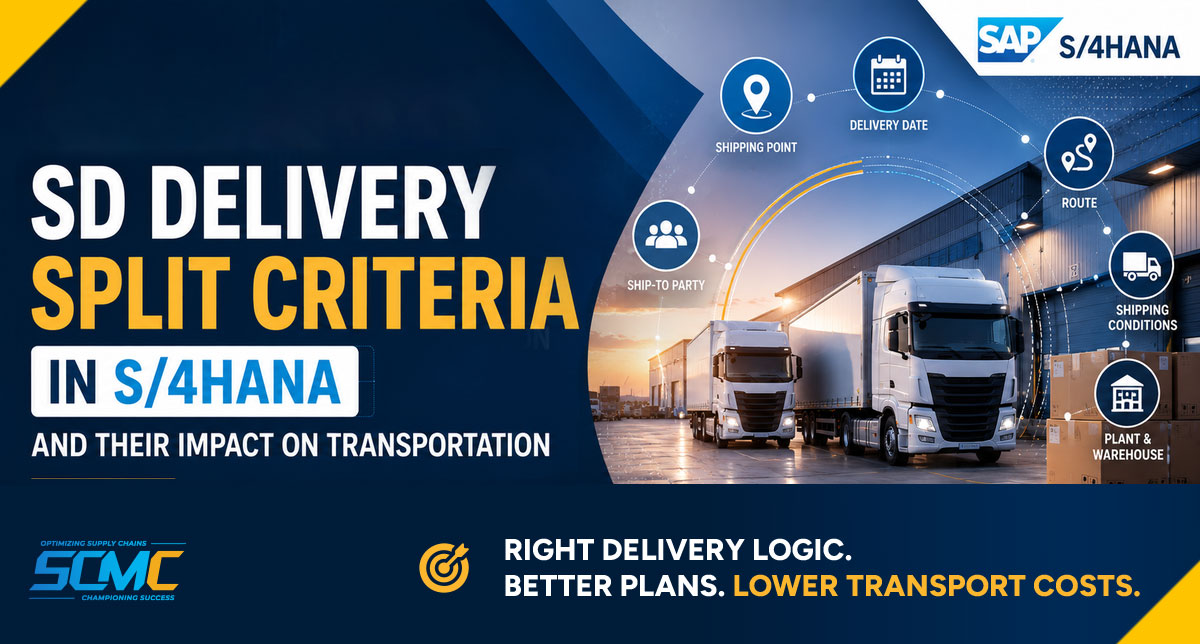
SAP can create separate deliveries when relevant delivery-combination or split criteria differ. The most common ones are shipping point, ship-to party, delivery date, route and shipping conditions.
Those splits decide what transportation planning receives. They do not decide the final plan. Separate deliveries can still result in Freight Units that planning consolidates into the same transport, depending on the planning constraints and strategy — so before you change any SD setting, check whether planning could have consolidated them anyway.
Two orders, two deliveries, two trucks
Two sales orders come in for the same customer, on the same day, going to the same city. Everything looks similar.
SAP creates two deliveries. Two Freight Units follow. Planning produces two Freight Orders.
The planning engine gets blamed. Then someone opens the delivery documents, sees that SAP split them, and decides the problem started in SD.
Usually it didn’t.
Planning can often produce a single Freight Order from Freight Units that came out of separate deliveries, depending on the constraints and strategy in use. When it does, the split is invisible and nobody notices. The split tends to become a problem when planning cannot bring those requirements together — and that is a different question.
So this article is not about blaming the delivery split. It is about understanding what the split hands over to transportation, which criteria create it, and how to tell whether it is genuinely worth changing.
For the full diagnostic order — planning first, then Freight Unit Building, then SD — start with our main article on [why SAP TM creates too many Freight Orders].
Why the delivery split matters to transportation
The delivery creation result determines the delivery documents and items that can become delivery-based transportation requirements for SAP TM.
Two deliveries can result in separate transportation requirements. Depending on your Freight Unit Building configuration, those requirements may then produce separate Freight Units — or a different grouping, since Freight Unit Building has its own rules and does not always produce one Freight Unit per delivery.
It also shapes warehouse work — picking, packing, handling units, staging.
But here is the part that gets missed:
A delivery split usually becomes a transportation problem when planning cannot consolidate the resulting requirements.
Many splits never cause any harm at all. The deliveries go their separate ways on paper and travel together in reality, because planning consolidated the resulting Freight Units. The split is real, but the cost of it is zero.
Two things are worth adding. A split can also matter when it creates an operational constraint — different pickup locations, different handling, extra warehouse work — even where planning consolidates afterwards. And delivery creation is not the only place a split can happen: in integrated TM and EWM scenarios, SAP TM can trigger an outbound delivery split later, based on planning or loading results.
That is why the split is worth understanding, but not worth changing first.
Where delivery creation sits in the process
Sales Order → Delivery Creation → Freight Unit Building → Transportation Planning → Freight Order → Execution
The sales order captures what the customer wants. Delivery creation turns that into one or more shipping documents, based on what can actually be shipped together.
From there, SAP TM takes over. Depending on the integration scenario and Freight Unit Building configuration, delivery data is transferred to TM as transportation requirements, which are then processed into Freight Units for planning.
The most common delivery split criteria
SAP uses delivery-combination criteria to decide which due items can be grouped into the same delivery. Items with identical shipping criteria can be entered into one delivery; where those criteria differ, you get separate deliveries.
The exact criteria that apply, and whether a given one is active at all, depend on your copying control settings, order-combination settings and any routines in use — so check these against your own system.
1. Shipping Point
What it controls: the physical place goods leave from — a dock, a warehouse area, a loading zone.
Why SAP splits: goods leaving from two different shipping points are two different physical shipments. They generally cannot share one delivery document.
Business example: one item ships from the bulk warehouse, another from the small-parts area. Same order, two shipping points, two deliveries.
Transportation impact: two requirements enter SAP TM from different starting locations. Even when planning can combine them, the pickup locations differ, which limits what it can do.
When to review: if similar orders get different shipping points without a clear operational reason. Shipping point is usually determined from the shipping condition, the loading group and the delivering plant — so inconsistency in any of those flows through.
2. Ship-to Party
What it controls: where the goods are going, and to whom.
Why SAP splits: goods going to different ship-to parties are normally handled as separate deliveries.
Business example: a customer with three store locations orders on one purchase order. Three ship-to parties, three deliveries.
Transportation impact: correct behaviour, and often not a problem — planning can still put several destinations on one vehicle if a multi-stop route is allowed.
When to review: when the same physical address exists more than once in your master data under different ship-to records. This is a common and easily missed cause of unnecessary splits.
3. Delivery Date
What it controls: when the customer is due to receive the goods.
Why SAP splits: different delivery dates can prevent items from being combined into the same delivery, depending on the applicable delivery-combination and scheduling logic.
Business example: one line is available now, another next week. The order splits.
Transportation impact: this is often where real cost appears. Different dates influence the time constraints planning works with, and if those constraints cannot be satisfied together on one feasible tour, planning may not be able to combine the resulting Freight Units.
When to review: when requested dates are stricter than what the customer actually needs. A day’s difference on paper often has no operational meaning — but the system treats it as a hard fact.
4. Route
What it controls: the transportation path from source to destination.
Why SAP splits: different routes usually mean different deliveries.
Business example: two items with different transportation groups end up on different routes, even though the destination is the same.
Transportation impact: the split reaches SAP TM as separate requirements, and the differing route data can also affect what planning is willing to combine.
When to review: route determination can depend on departure zone, destination zone, shipping condition and transportation group — and during delivery route determination, weight group may also be relevant. Inconsistency in any of these produces inconsistent routes for orders that look identical to a business user.
5. Shipping Conditions
What it controls: how the goods should be shipped — standard, express, customer collection, and so on.
Why SAP splits: shipping conditions feed shipping point and route determination. Different conditions often lead to different results, and therefore different deliveries.
Business example: one order is marked express because someone set it manually. Another is standard. Same customer, different handling.
Transportation impact: an unintended express flag can split a delivery, change the route, and remove a consolidation opportunity — all without anyone noticing.
When to review: when shipping conditions are set inconsistently between customer master, sales document type and manual entry.
6. Plant and Warehouse
What it controls: which plant or warehouse supplies the goods.
Why SAP splits: different supplying plants can result in separate delivery requirements, because the goods originate from different locations and may be subject to different shipping and delivery conditions.
Business example: part of an order is available at the northern plant, part at the southern one.
Transportation impact: two requirements from two locations. What planning can do with them is shaped by the physical distance, not by configuration alone.
When to review: when sourcing rules send similar orders to different plants without an operational reason, or when stock allocation logic is producing splits nobody intended.
Other Criteria Worth Knowing About
Incoterms. Depending on the delivery-combination and copying-control settings, differing Incoterms can result in separate deliveries. Incoterms can be selected or deselected as a split criterion through copying control.
Partial delivery rules. Worth separating out clearly, because this is a different mechanism. Partial delivery settings sit in the customer master and item category, and govern whether a customer accepts part shipments. They tend to produce multiple deliveries over time as stock arrives, rather than splitting one order at the moment of creation.
Customer-specific logic. Many systems carry custom routines in copy control, added years ago for a reason that may no longer apply. Worth checking before assuming standard behaviour.
A short example
Same customer, same destination city, two orders placed the same morning. One requested Monday, the other Tuesday.
SAP created two deliveries. Two Freight Units followed. Planning produced two Freight Orders — even though both loads would have fitted comfortably on one vehicle.
It looked like an SD problem. It wasn’t.
The split created two requirements, but planning was what failed to bring them back together. The relevant scheduling and planning settings allowed less flexibility than the business requirement needed. Adjusting those settings let planning evaluate the two requirements as a feasible combination, and the SD side was never touched.
The point: the split was visible, so it got the blame. The real constraint was one layer further down.
How the Delivery Split Affects SAP TM
When splits do cause problems, this is what it looks like:
- More transportation requirements entering SAP TM than the order volume suggests
- Potentially more Freight Units, depending on the Freight Unit Building configuration
- Fewer things available to consolidate into each Freight Order
- Lower vehicle utilisation
- More manual regrouping by planners
- Higher freight cost over time, rarely large enough on any single day to escalate
These can become business consequences when planning cannot consolidate the resulting requirements. If planning combines them, most of the list above never materialises as cost.
So keep the sequence in mind. If you are seeing these effects, the first place to look is the planning run.
For that, see [why Freight Units are not consolidating in the SAP TM planning run].
When Delivery Splits are Correct
Not every split is a problem, and some are protecting you.
Valid reasons include:
- Dangerous goods that cannot travel with certain other products
- Temperature-controlled items that need separate handling
- Genuinely different delivery dates the customer has asked for
- Different destinations
- Customer agreements — some customers do not want combined shipments
- Regulatory or documentation requirements
This matters more than it sounds. A change made to improve consolidation can also combine things that were deliberately kept apart. Before removing any split rule, find out why it exists. Somebody usually had a reason, even if nobody remembers it now.
When to Review your Delivery Split Rules
Signs it is worth looking:
- Vehicle utilisation stays low across the network
- Planners regularly regroup requirements by hand
- More deliveries appear than the order volume suggests
- The distribution model changed — a new hub, direct-to-store, renegotiated windows
- Split rules have not been touched since go-live, but the network has changed since
Mistakes to avoid:
- Changing TM settings before understanding what SD is producing — and equally, changing SD before checking whether planning could have consolidated anyway
- Removing split rules without finding out why they were set
- Assuming every split is a configuration error
- Ignoring master data — duplicate ship-to records or inconsistent shipping conditions can produce different delivery results that look like configuration problems
- Over-customising delivery creation, which creates a maintenance problem for someone later
Delivery Split Review Checklist
| Question | Why it matters |
|---|---|
| Could planning have consolidated these anyway? | Check this first — it decides whether SD is worth reviewing at all |
| Are deliveries split by different shipping points? | Different pickup locations limit what planning can combine |
| Are requested delivery dates stricter than the customer needs? | A frequent source of splits that add no operational value |
| Are routes assigned consistently for similar orders? | Inconsistent route determination creates unexplained splits |
| Are shipping conditions aligned across similar customers? | Feeds shipping point and route determination |
| Does the same address exist under several ship-to records? | Easily missed, easily fixed |
| Is product master data consistent for similar items? | Loading group and transportation group both influence splits |
| Do splits follow a current business rule, or old habit? | Rules outlive the network they were designed for |
| Are custom routines still in copy control? | Old customisation often survives longer than its reason |
How SCM Champs helps in Managing Delivery Split?
Delivery split questions sit across two teams. SD owns the logic, transportation lives with the result, and neither side usually sees the full picture.
We help organisations review both together:
- Delivery creation logic — split criteria, copying control and routines
- Master data consistency across ship-to records, shipping conditions and product data
- Whether the split rules still match how the business distributes today
- What the split hands over to Freight Unit Building and planning
- Whether the fix belongs in SD at all, or further downstream
The goal isn’t to remove splits. It’s to know which ones are costing you something and which are protecting you.
Frequently Asked Questions
Why does SAP create multiple deliveries for one customer? Because relevant delivery-combination or split criteria differ — commonly shipping point, ship-to party, delivery date, route or shipping conditions. Which criteria apply depends on your copying control and order-combination settings.
Which delivery split criterion has the biggest impact on transportation? Delivery date is often the one that matters most, because the dates influence the time constraints planning works with. If those constraints cannot be satisfied together on a feasible tour, planning may not be able to combine the resulting Freight Units.
Does the delivery split affect Freight Unit Building? It shapes the input. Each relevant delivery can become a delivery-based transportation requirement for SAP TM, depending on the integration and configuration. Freight Unit Building then applies its own rules to those requirements, so the number of deliveries does not automatically decide the number of Freight Units — and neither decides the final grouping, which happens in planning.
Can the delivery split increase transportation costs? It can, when planning cannot consolidate the resulting requirements. If planning combines them into one Freight Order, the split does not add cost.
Should every delivery split be removed? No. Many exist for good reasons — dangerous goods, temperature control, customer agreements. Removing a valid split can combine things that were deliberately kept apart.
How does route affect the delivery split? Different routes usually lead to separate deliveries. Route determination typically depends on departure and destination zones, shipping condition and transportation group, so inconsistency in any of those shows up as unexplained splits.
Can different delivery dates prevent shipment consolidation? They can. The dates influence the time constraints planning works with, and if those constraints cannot be satisfied together on a feasible tour, the Freight Units may not be combined.
How can companies review delivery split rules after migrating to S/4HANA? Take real examples where the business expected one delivery and got several, and trace what differed. Migration often carries old rules forward into a network that has changed since they were written.
In short
Delivery creation is not only an SD activity. It shapes warehouse work, what transportation planning receives, and eventually freight cost.
But keep the order right. The delivery split is where transportation demand takes shape — it is not usually where consolidation fails. Review it once you know planning could not have fixed it anyway.
When you do review it, check master data consistency alongside configuration. Inconsistent ship-to records, shipping conditions, plant data or other relevant master data can create delivery results that look like configuration problems.
For the wider picture, see [why SAP TM creates too many Freight Orders].
Not sure whether your problem starts in SD, Freight Unit Building, or the planning run?
SCM Champs can review the end-to-end process, identify the underlying cause, and show you what needs to change.
→ Request a Free SAP TM Assessment